

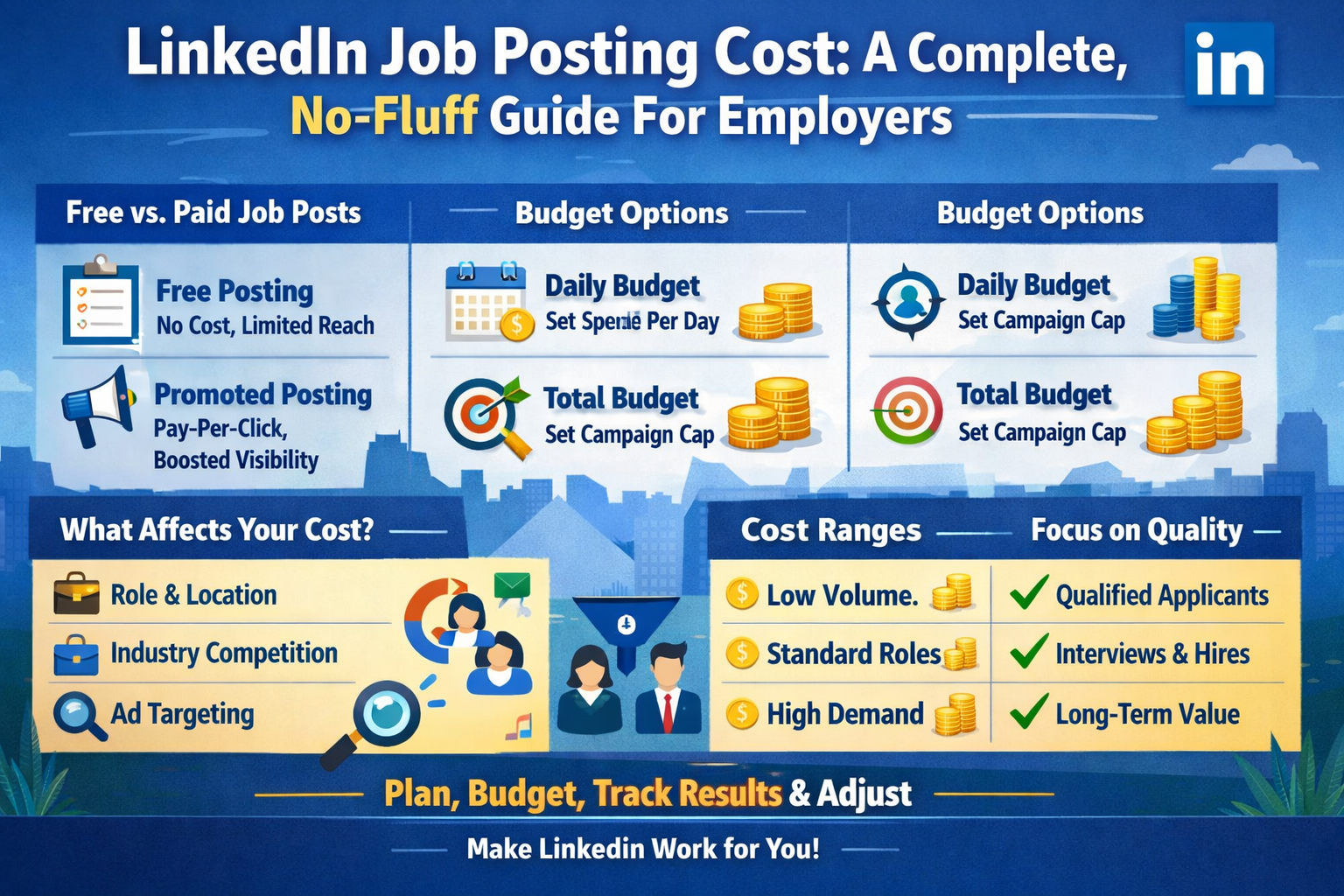
If you’re hiring today, LinkedIn is probably one of the first places you think of. It’s where professionals hang out, network, and quietly look for better opportunities. But the moment you try to post a job, one big question appears: how much does it really cost to post a job on LinkedIn, and is it worth it for your business?
Here’s the simple truth: LinkedIn lets you post jobs for free, but serious reach and results usually come from paid promotion based on a pay‑per‑click model. Understanding how that cost structure works puts you in control, instead of guessing and hoping your budget doesn’t vanish without delivering good candidates.
What Is A LinkedIn Job Posting, Really?
Before we dive into numbers, let’s get clear on what a LinkedIn job post actually is.
When you publish a job on LinkedIn, you create a listing that can appear in:
-
Search results when candidates filter by title, skills, or location
-
Job recommendations in users’ feeds and email alerts
Think of it like a digital storefront window for your vacancy, placed in the middle of the world’s biggest professional marketplace. The twist is in how widely that window is shown—and that depends on whether you go with a free post or a paid, promoted one.
Free vs Paid Job Posts: What’s The Difference?
You’ll usually see two basic options when you create a job:
-
Free job posting
-
Promoted (paid) job posting
On the surface, both are job ads. But they behave very differently behind the scenes.
Free job posts
-
No upfront cost to publish.
-
Your role appears in job search results and may be shown to some candidates organically.
-
Visibility is limited: you’re competing with thousands of other jobs, many of them promoted.
-
Good for low‑urgency roles, testing demand, or very tight budgets.
Promoted job posts
-
You add a budget to push your job to more of the right people.
-
LinkedIn shows your listing more prominently and more frequently.
-
You pay based on engagement (usually in a pay‑per‑click model).
-
Best for roles you need to fill fast, competitive talent markets, or high‑stakes positions.
In simple terms: a free post is like pinning a flyer on a public notice board and hoping the right person walks by. A promoted post is like paying for that flyer to be handed directly to people who match your ideal candidate profile.
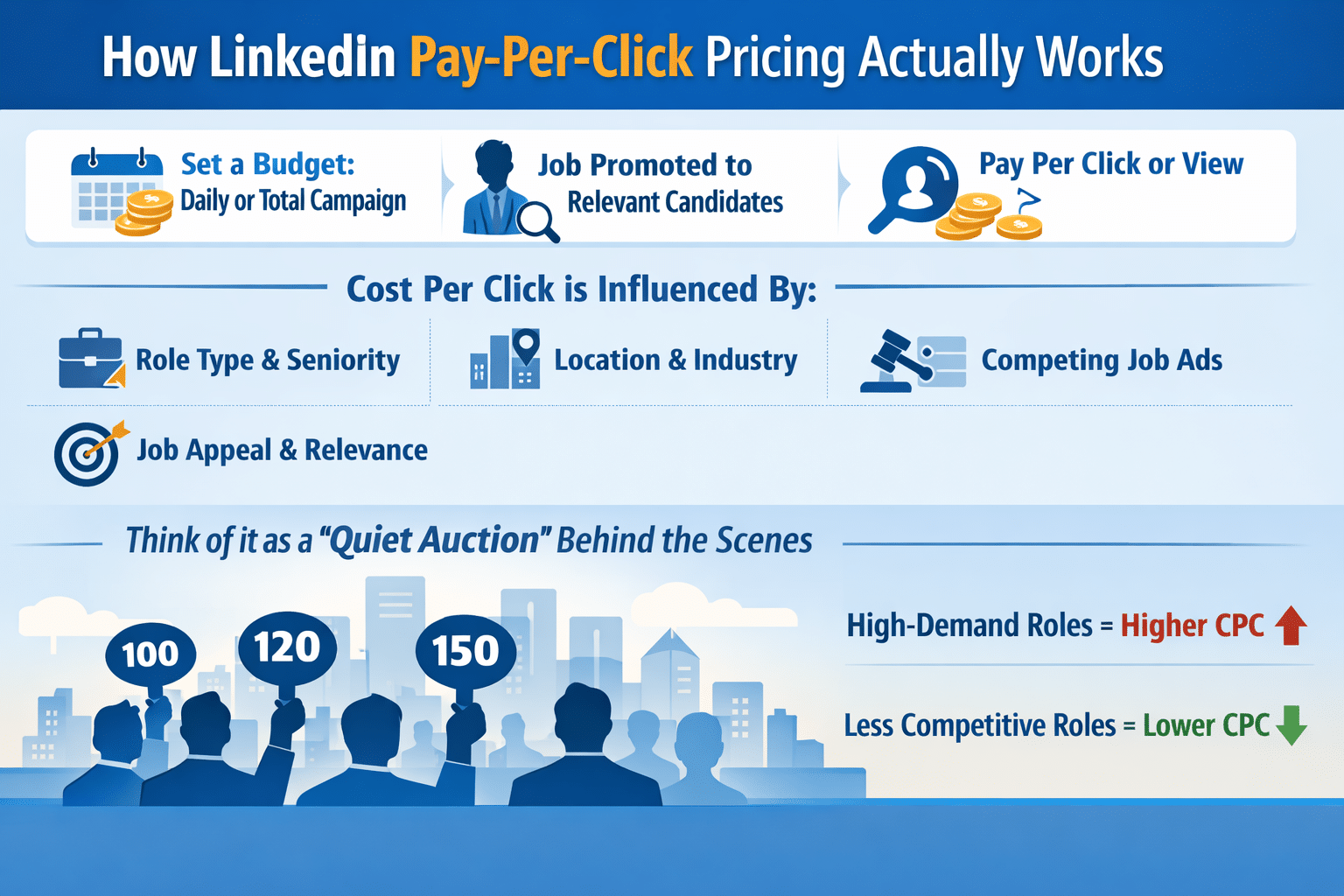
How LinkedIn Pay‑Per‑Click Pricing Actually Works
The big difference with LinkedIn job posting cost is that there’s usually no fixed “post this job for X amount” price under the standard self‑service model. Instead, you get a flexible, ad‑style structure based on your budget and clicks.
Here’s how it typically works in practice:
-
You set a daily budget (for example, 10–20 units of your local currency per day) or a total campaign budget over the lifetime of the job.
-
LinkedIn promotes your job to relevant candidates based on your targeting and the role details.
-
You’re charged when users interact with your job in defined ways—most often via clicks or meaningful views.
-
Multiple views from the same logged‑in user, your own views, or views from logged‑out users generally don’t result in repeated charges.
The actual cost per click (CPC) is not a fixed number. It’s influenced by:
-
Role type and seniority
-
Location and industry
-
How many other employers are advertising similar roles at the same time
-
How attractive and relevant your job appears to the target audience
Think of it as a quiet auction happening in the background. If you’re hiring for a high‑demand role in a major city, you’ll likely pay more per click than for a less competitive role in a smaller market.
Daily Budget vs Total Budget: Which Should You Use?
LinkedIn usually gives you two main ways to control spend:
1. Daily budget
-
You decide how much you’re comfortable spending each day.
-
Example: you set 10 units per day for 30 days.
-
Your maximum spend would be roughly 300 units—assuming your campaign runs the full duration and gets enough clicks.
2. Total or lifetime budget
-
You set an overall cap for the whole job campaign.
-
LinkedIn then paces delivery to use that amount efficiently over the period your job is active.
In many cases, LinkedIn may allow some flexibility day‑to‑day (spending a bit more on high‑traffic days and less on quiet days), while still staying within your total budget over the lifetime of the campaign.
Daily budgets give you more short‑term control and are easy to adjust if performance changes. Total budgets are useful when you know exactly how much you want to invest in filling a role and want to put a firm ceiling on spend.
Typical LinkedIn Job Posting Cost Ranges
Because costs are driven by competition and performance, no single price fits everyone, but you can think in these rough patterns:
-
Test or low‑volume campaigns
-
Daily budget: a modest amount (the platform often suggests a minimum baseline).
-
Duration: 15–30 days.
-
Total spend: usually a few hundred units, depending on your currency and market.
-
-
Standard mid‑level roles
-
Slightly higher daily budget to stay competitive.
-
The total investment per role might sit somewhere in the mid‑hundreds to low thousands, depending on the length of the campaign and CPC.
-
-
Highly competitive or senior roles
-
Higher daily or total budgets to win more visibility in crowded categories.
-
Costs per qualified applicant are typically higher, but each hire tends to be more valuable.
-
These aren’t hard rules, just starting points. Your actual cost depends heavily on how targeted you are, how compelling your job post is, and how many similar employers are bidding for the same professionals.
Factors That Quietly Drive Your LinkedIn Job Posting Cost
You don’t control the entire pricing ecosystem, but you do control a lot of the levers that affect your final cost per applicant or cost per hire. Some big factors include:
-
Location
-
Major tech or financial hubs are more competitive than smaller cities or niche regions.
-
-
Role type and seniority
-
Senior, leadership, or specialized technical roles typically come with higher competition and higher CPCs.
-
-
Industry
-
Hot industries (tech, fintech, data, AI, consulting) often see more advertisers and higher bid pressure.
-
-
Targeting settings
-
Overly narrow targeting can push costs up because your audience is tiny.
-
Too broad targeting can waste budget on unqualified clicks.
-
-
Job title and description quality
-
Clear, keyword‑rich titles and detailed, honest descriptions attract better clicks, which can improve performance and help your budget stretch further.
-
Think of your job post like an advert in a crowded marketplace. The better positioned and clearer it is, the easier it is to attract the right people at a reasonable cost.
Free Job Posting On LinkedIn: When Is It Enough?
Yes, you can post a job for free, and sometimes that’s exactly what you should do.
Free posting makes sense when:
-
You’re not in a big rush to fill the role.
-
Your role is relatively common and attractive in your area.
-
You want to test how the market reacts before you spend on promotion.
-
You’re experimenting with the role definition, title, or requirements.
But here’s the catch: free posts usually don’t get the same consistent visibility as promoted ones, especially in competitive categories. If you’re not seeing enough quality applications after a reasonable period (say 7–14 days), that’s often the signal to either improve the post or switch on promotion with a budget.
LinkedIn Recruiter vs Job Posting: Don’t Mix Them Up
Many employers confuse two different types of costs:
-
Cost to promote a job posting
-
Cost of recruiter tools or subscriptions
They’re related to hiring on LinkedIn, but they’re not the same thing.
-
Job posting costs refer to how much you spend to have your role promoted and discovered by candidates, mainly on a pay‑per‑click or budget basis.
-
Recruiter tools (like advanced search and InMail‑heavy subscriptions) are separate, ongoing costs that give your team more sourcing and outreach power.
You can choose to just post and promote jobs, just use recruiter tools, or combine both for maximum reach. When you’re planning budgets, keep those two lines separate so you know exactly what you’re paying for.
Is LinkedIn More Expensive Than Other Job Platforms?
On a surface level, LinkedIn often feels more expensive than some generic job boards because:
-
Cost per click can be higher.
-
Cost per applicant may look higher, especially in competitive industries.
But here’s the part that matters more: candidate quality.
LinkedIn’s audience is heavily professional. For knowledge‑based roles, specialist positions, or leadership jobs, a smaller number of high‑quality applicants from LinkedIn can be far more valuable than a flood of low‑fit resumes from cheaper channels.
So when you compare platforms, don’t just look at:
-
Cost per click
-
Cost per applicant
Also look at:
-
How many of those applicants are actually qualified
-
How many moved to interview, offer, and hire
-
The long‑term performance, retention, and value of those hires
Sometimes LinkedIn isn’t the cheapest place to post a job—but it can easily be the most cost‑effective for certain roles.
How To Estimate A Smart Budget For Your Next LinkedIn Job Post
If you’re not sure where to start, use a simple framework instead of guessing.
-
Work backward from the value of a hire
-
Ask: what is a good hire in this role worth to my business over a year or more?
-
You’ll often find that spending a few hundred or even a few thousand units to make the right hire is reasonable compared to the salary and impact.
-
-
Estimate your needed volume
-
How many applications do you usually need to make one good hire?
-
How many of those typically come from LinkedIn or similar channels?
-
-
Set a test budget
-
Decide on a testing window (e.g., 2–4 weeks) and assign a budget you’re comfortable investing in learning and results.
-
-
Watch cost per applicant and cost per qualified applicant
-
Track not just how many people apply, but how many meet your criteria and move forward.
-
If the numbers look promising, you can ramp up.
Tips To Reduce Your LinkedIn Job Posting Cost Without Killing Performance
You don’t control the auction, but you can absolutely make your campaigns more efficient. A few practical ways to keep costs in check while still getting good results:
-
Nail the job title
-
Use clear, common titles that candidates actually search for, not internal jargon.
-
“Digital Marketing Manager” will usually outperform “Growth Ninja” for serious hires.
-
-
Write a compelling, honest description
-
Be clear about responsibilities, must‑have skills, and what’s in it for the candidate.
-
Include location, flexibility (remote/hybrid), and salary range where possible—it improves both clicks and trust.
-
-
Refine your targeting, don’t suffocate it
-
Start with reasonably broad but relevant criteria (location, function, seniority).
-
Tighten over time if you get too many low‑quality applicants.
-
-
Use your company page and brand to your advantage
-
A strong, active company profile with decent content and a clear mission helps attract better candidates at the same spend.
-
-
Monitor performance early and often
-
Don’t “set and forget.” Check performance after the first few days.
-
If things are off—few impressions, poor clicks, or weak applicants—adjust early.
-
The goal is simple: more of the right clicks, fewer wasted ones.
Example: What A Real LinkedIn Job Posting Budget Might Look Like
Let’s walk through a rough scenario to make things concrete.
You’re hiring a mid‑level marketing manager:
-
You decide to run a promoted campaign for 30 days.
-
You pick a moderate daily budget.
-
Over the month, you attract a steady stream of views and clicks.
From this, you might see outcomes like:
-
Total spend: a few hundred units.
-
Applications: a manageable number of candidates.
-
Qualified candidates: a smaller, focused subset that actually fit your criteria.
Now you compare:
-
Cost per applicant
-
Cost per qualified applicant
-
Cost per hire (once you’ve made the hire)
If those numbers align with the value of the role and are competitive with your other hiring channels, LinkedIn is pulling its weight. If they’re wildly off, you either need to improve the campaign or move budget to better channels for that particular role.
When A Higher LinkedIn Budget Makes Sense
Sometimes, spending more on LinkedIn is not overkill—it’s simply realistic.
Consider leaning into a higher budget when:
-
The role is critical to growth (e.g., key engineering, sales leadership, or product positions).
-
You’re in a talent‑scarce market where good candidates are quickly snapped up.
-
You’re hiring multiple similar roles and can reuse learnings across campaigns.
-
You already know LinkedIn is your top‑performing source for that type of hire.
In those cases, under‑investing can be more expensive than spending properly, because delays and mis‑hires quietly burn more money than the campaign itself.
How LinkedIn Fits Into A Broader Hiring Strategy
LinkedIn job posting cost doesn’t exist in a vacuum. It’s one piece of your wider recruitment strategy.
You might combine:
-
LinkedIn promoted jobs for targeted, professional reach
-
Your careers page and website for employer branding
-
Other job boards or local platforms for volume
-
Employee referrals for high‑trust candidates
-
Direct outreach on LinkedIn via your recruiters or hiring managers
When you treat LinkedIn as one channel in a mix—not the only channel—you can balance cost, speed, and candidate quality more effectively.
Conclusion
At the end of the day, LinkedIn job posting cost is less about a fixed “price per job” and more about how you choose to invest in visibility. You can start with a free post and see how far it goes. When you need more reach or better speed, you can switch on promotion, set a clear budget, and let the platform work with a pay‑per‑click model.
Once you understand the levers—budget, targeting, job quality, and competition—you stop treating LinkedIn like a black box and start using it like a controllable performance channel. That’s when your recruiting becomes less stressful and more predictable.


