

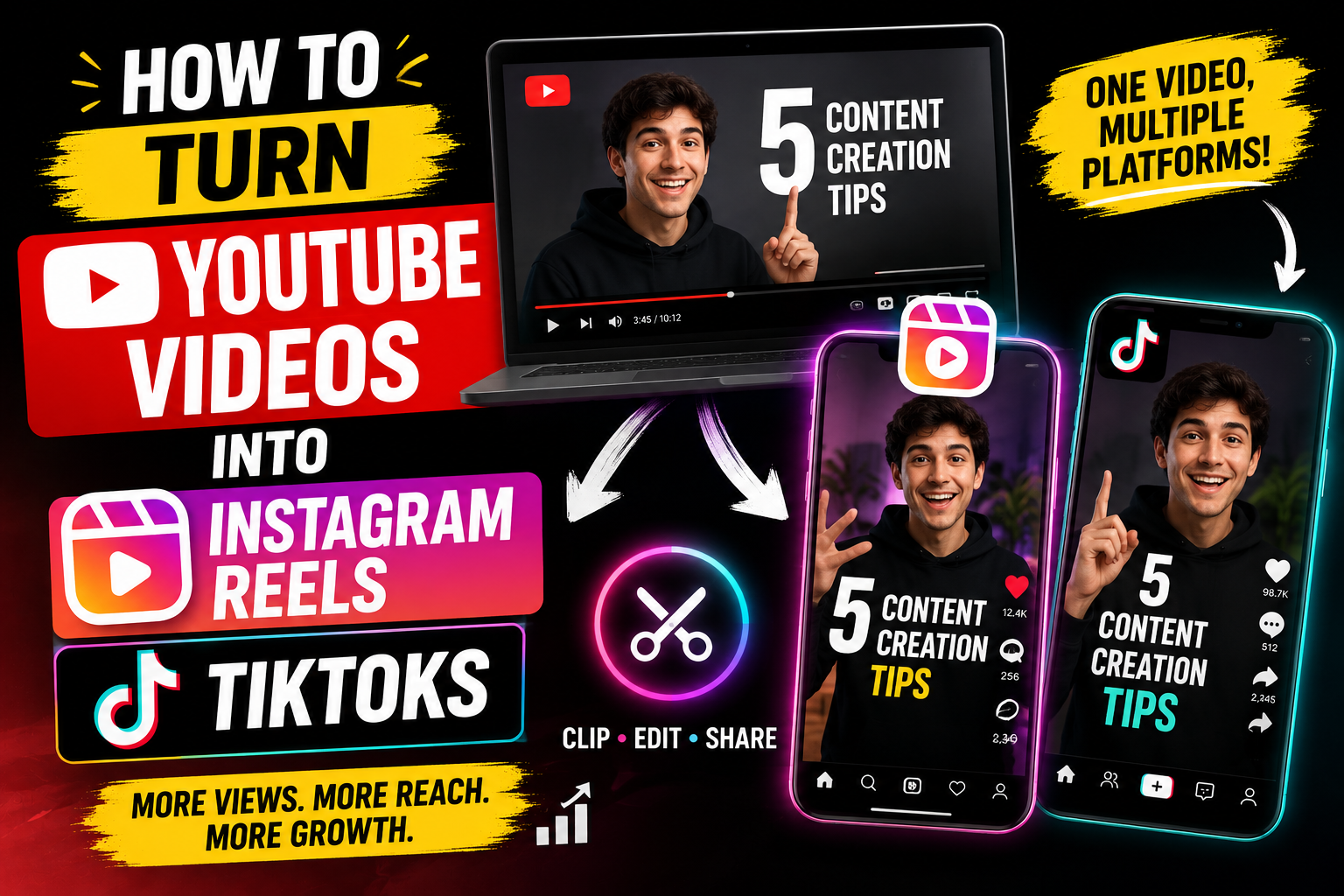
Creating content for YouTube, Instagram and TikTok can feel overwhelming. One long-form video may take hours to research, record and edit, yet social media demands fresh content almost every day.
Fortunately, creators don’t have to start from zero for every platform. An existing YouTube video can become several engaging Instagram Reels and TikToks with the right repurposing strategy.
This process is known as video content repurposing. Instead of creating completely different videos for every platform, you adapt your existing content into formats that suit each audience.
A single YouTube video could potentially become multiple short-form clips, giving your brand or personal channel more opportunities to reach viewers.
So, how can you turn YouTube videos into Instagram Reels and TikToks in 2026? Let’s explore the process.
What Is Video Content Repurposing?
Video content repurposing means transforming an existing piece of content into different formats.
For example, imagine that you have a 20-minute YouTube video about social media marketing. That one video could contain several useful sections.
One section might explain Instagram SEO. Another could discuss common mistakes. A third part might provide practical growth tips.
Each section can become a separate short-form video.
The goal isn’t simply to cut the original video into smaller pieces. Instead, you should adapt each clip so it feels natural for viewers scrolling through Instagram or TikTok.
Why Turn YouTube Videos Into Reels and TikToks?
Short-form video gives creators another way to reach potential audiences.
Someone who has never discovered your YouTube channel might encounter your content through an Instagram Reel. A TikTok viewer could also become a subscriber after seeing a useful clip.
Repurposing saves production time because the original research and recording are already complete. More importantly, it allows one piece of content to work across multiple platforms.
Some key benefits include:
- Save time on content creation
- Reach new audiences
- Increase publishing frequency
- Extend the life of older videos
- Promote long-form YouTube content
- Build a stronger social media presence
- Generate more content from existing material
Instead of thinking about one video as one piece of content, consider it a content library.
Step 1: Choose the Right YouTube Video
Not every YouTube video will work equally well for short-form content.
Start with videos containing strong opinions, useful tips, tutorials, stories or interesting facts. Interviews, product demonstrations and educational videos can also provide excellent clips.
Your YouTube Analytics can offer another useful clue. Videos that already attract strong watch time or engagement may contain moments worth repurposing.
For example, a 15-minute video titled “10 Instagram Marketing Strategies“ could easily produce several short clips.
Each clip could focus on one specific strategy instead of trying to explain all ten.
Step 2: Find Your Best Moments
Once you’ve selected a video, watch it carefully.
Look for statements that immediately provide value. Strong opinions, surprising facts, practical tips and emotional moments can all work well.
Pay special attention to sections that can make sense without lengthy background information.
A good clip might start with:
“Most small businesses make this Instagram mistake.”
Another strong opening could be:
“Here’s why your Reels aren’t getting enough reach.”
The viewer should understand the subject quickly.
Step 3: Create a Powerful Hook
Short-form viewers scroll quickly, so the opening seconds matter.
A lengthy introduction can make people lose interest before they reach the useful part.
Instead of beginning with:
“Hello everyone, welcome back to my channel…”
start with the most interesting part of the message.
Try openings such as:
“Stop doing this if you want more Instagram views.”
“Here’s a simple way to turn one video into ten pieces of content.”
“Three mistakes could be killing your TikTok reach.”
A strong hook creates curiosity while accurately representing what the video delivers.
Step 4: Convert the Video to Vertical Format
YouTube videos are often recorded horizontally, while Instagram Reels and TikToks are designed for vertical viewing.
The recommended format for most short-form platforms is 9:16.
A common resolution is:
1080 × 1920 pixels
Horizontal footage should therefore be cropped and reframed for a smartphone screen.
When the speaker is positioned in the centre, the conversion is relatively simple. Interviews and wide shots may require more careful editing to keep important subjects visible.
Step 5: Reframe the Footage
Simply placing a horizontal video inside a vertical frame can make the final result look unprofessional.
Instead, adjust the framing.
A talking-head video should keep the speaker’s face clearly visible. During interviews, the frame can switch between speakers when necessary.
Screen recordings require additional attention. Zoom into the important section so viewers can actually read the information on a small phone display.
Good framing makes the clip feel as though it was created specifically for short-form platforms.
Step 6: Add Captions
Captions are an important part of modern short-form video.
Many viewers watch videos without sound, so text can help communicate the message even when audio isn’t being used.
Keep captions readable and synchronized with the speech. Highlighting a few important words can also make key points easier to notice.
Avoid placing too much text on the screen. The viewer should be able to read the captions without missing the visual content.
Step 7: Remove Unnecessary Pauses
Long-form videos naturally contain pauses, repeated statements and slower sections.
Short-form content usually benefits from a tighter editing style.
Remove unnecessary:
- Pauses
- Repetitions
- Filler sections
- Long introductions
- Slow transitions
- Irrelevant explanations
However, don’t cut every natural pause.
A video that moves too quickly can become difficult to understand. Good editing should improve the pace without making the content feel chaotic.
Step 8: Add B-Roll and Supporting Visuals
Visual variety can make a repurposed clip much more engaging.
Suppose your original video discusses video marketing analytics. Adding screen recordings, charts or relevant graphics can make the explanation easier to understand.
Product videos can include close-up shots. Tutorials may benefit from screen recordings. Educational content can use simple graphics or supporting footage.
B-roll should support the story rather than distract from it.
Step 9: Keep One Clear Idea Per Video
Trying to squeeze an entire YouTube video into one Reel or TikTok is a common mistake.
Short-form videos work better when each clip focuses on one specific idea.
For instance, a 30-minute YouTube tutorial about Instagram growth could become:
- One video about hooks
- One video about captions
- One video about hashtags
- One video about engagement
- One video about analytics
- One video about posting consistency
That approach gives you several pieces of content from one recording session.
Step 10: Customize Videos for Each Platform
The same core footage can work on Instagram and TikTok, but the final presentation doesn’t have to be identical.
Instagram viewers may respond well to saveable tips and carousel-style educational content. TikTok audiences may respond strongly to conversational storytelling, trends and direct questions.
Customize elements such as:
- Hook
- Caption
- Call to action
- On-screen text
- Description
- Hashtags
Small changes can make repurposed content feel native instead of recycled.
Step 11: Add a Strong Call to Action
Every short-form video should have a clear purpose.
You might encourage viewers to follow your account, watch the full YouTube video, visit your website or leave a comment.
For example:
“Watch the full tutorial on YouTube.”
Another option is:
“Save this tip for your next content session.”
Keep the call to action relevant to the video. Too many instructions can confuse viewers.
Best Tools for Turning YouTube Videos Into Reels and TikToks
Several editing platforms can simplify the repurposing process.
CapCut
CapCut offers tools for vertical editing, captions, transitions and social-media content creation.
Canva
Canva can be useful for simple video editing, branded graphics, text overlays and social-media templates.
Adobe Premiere Pro
Premiere Pro is better suited to creators who want detailed control over cropping, editing, audio and visual effects.
Descript
Descript uses transcript-based editing, making it convenient for creators who want to find and edit specific spoken sections quickly.
AI Video Repurposing Tools
AI-powered platforms can identify potential highlights, create captions, resize videos and generate short clips.
Automation can save time, but human review remains important. An AI tool may select a technically interesting moment that lacks enough context to work as a standalone video.
How Many Reels and TikToks Can One YouTube Video Produce?
There is no fixed number.
A 10-minute tutorial might produce three strong clips. Meanwhile, a long interview could provide ten or more useful moments.
Quality should always come before quantity.
For example, one YouTube video could become:
Clip 1: The biggest mistake
Clip 2: Three quick tips
Clip 3: A surprising fact
Clip 4: A practical tutorial
Clip 5: A common question
Clip 6: A strong opinion
That means one production session can create content for several days.
Common YouTube-to-Reels and TikTok Mistakes
Keeping the Original Horizontal Layout
A horizontal video can look awkward when simply uploaded to a vertical platform.
Using a Weak Introduction
Long greetings and unnecessary introductions can cause viewers to scroll away.
Ignoring Captions
Without captions, your message may become harder to follow for viewers watching without audio.
Making Clips Too Long
A short-form video should deliver its point efficiently.
Removing Too Much Context
Over-editing can make the message confusing. Keep enough information for the clip to stand on its own.
Posting Watermarked Content
Avoid using visible watermarks from another platform when republishing your content elsewhere.
Making Every Video Promotional
Educational and entertaining videos can build trust without constantly asking viewers to buy something.
How AI Can Improve Video Repurposing in 2026
AI is making the repurposing process faster.
Modern tools can help identify highlights, generate subtitles, remove silence, resize footage and create multiple versions of a video.
That can significantly reduce repetitive editing work.
Human creativity still plays an important role, though.
AI can identify potential clips, but you understand your brand voice and audience better. The strongest workflow combines AI efficiency with human judgment.
A Simple YouTube-to-Reels and TikTok Workflow
Use this process whenever you publish a new long-form video:
1. Publish your YouTube video.
2. Review the entire video for valuable moments.
3. Select several potential clips.
4. Rewrite the opening hooks when necessary.
5. Convert the footage to a 9:16 format.
6. Reframe the speaker or important visuals.
7. Remove unnecessary pauses.
8. Add captions and supporting visuals.
9. Create a clear call to action.
10. Customize captions for Instagram and TikTok.
11. Schedule your short-form content.
12. Analyze performance and repeat what works.
This workflow turns one long-form video into a repeatable content engine.
Final Thoughts
Learning how to turn YouTube videos into Instagram Reels and TikToks can make content creation significantly more efficient.
Instead of producing every social video from scratch, creators can extract the strongest ideas from existing long-form content.
A single YouTube video can become several short-form clips when each section has a clear message. Strong hooks, vertical framing, captions, fast pacing and platform-specific optimization can make those clips feel native to Instagram and TikTok.
The biggest advantage is efficiency. Your research, recording and core message already exist, so the next step is simply finding new ways to package that value.
Ultimately, successful video repurposing isn’t about posting the same video everywhere. It’s about transforming one strong idea into multiple pieces of content that fit the way people watch on each platform.