

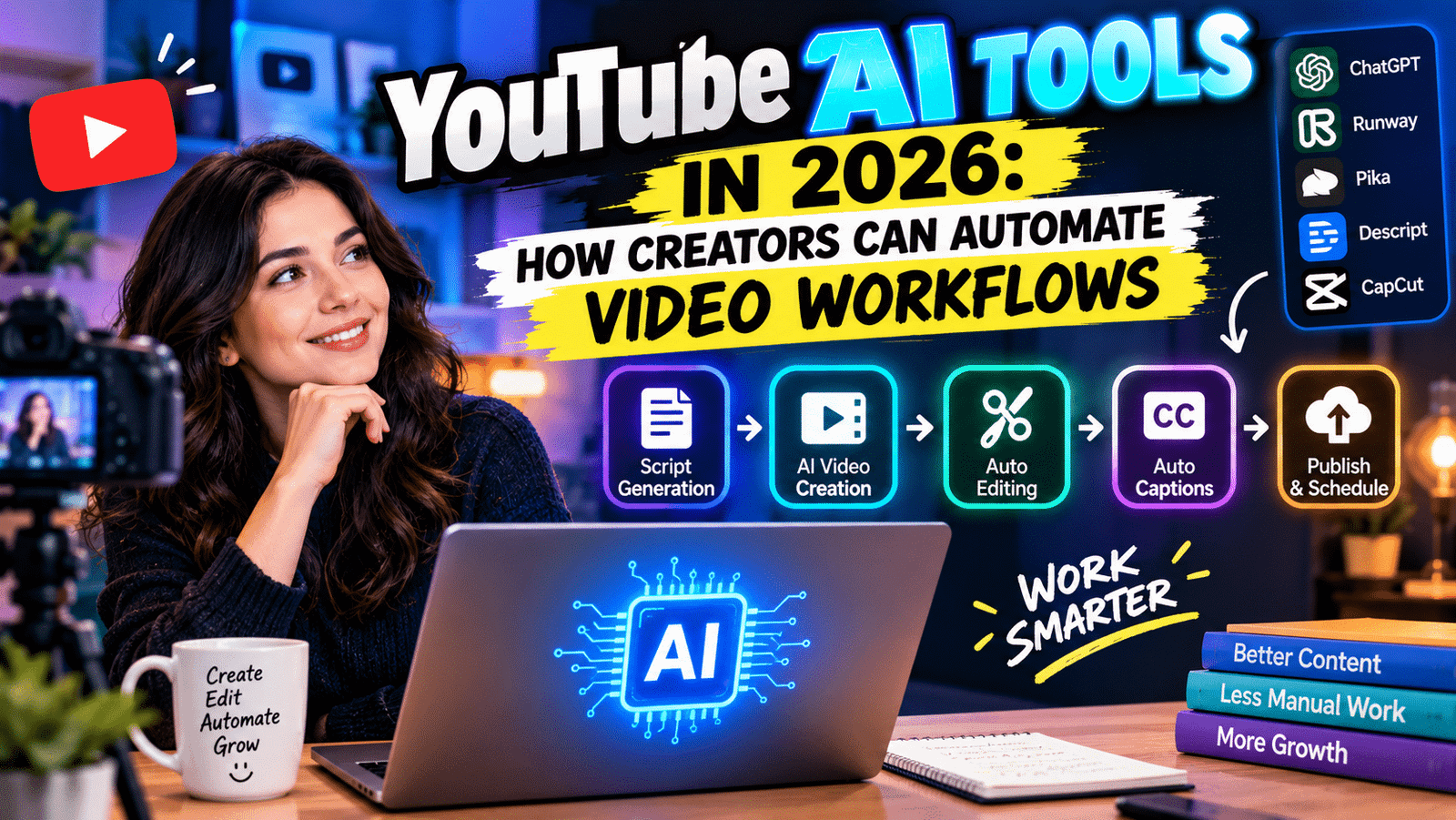
Creating YouTube videos can be exciting, but the work behind every upload can take hours. Research, scripting, recording, editing, thumbnails, captions, titles, descriptions, and promotion all require time. In 2026, artificial intelligence is changing how creators handle these tasks. YouTube AI tools can help automate repetitive parts of the video workflow while allowing creators to spend more time on ideas, storytelling, and audience engagement.
AI does not mean creators have to hand over their entire channel to automation. Instead, the technology can work as an assistant. It can help turn an idea into a structured script, speed up editing, generate captions, suggest titles, improve audio, and repurpose long videos into short-form content.
For beginners and experienced creators alike, understanding how to use these tools effectively can make the YouTube production process more efficient.
What Are YouTube AI Tools?
YouTube AI tools are artificial-intelligence-powered features and applications that assist with different stages of video creation and publishing.
Some tools are built directly into YouTube or Google’s creator ecosystem, while others come from third-party platforms. Their capabilities can include writing assistance, video editing, automatic captions, translation, thumbnail creation, analytics, idea generation, and content repurposing.
The goal is not necessarily to create an entire video without human involvement. Instead, AI can reduce repetitive work and help creators complete tasks faster.
1. AI for YouTube Video Ideas
Coming up with fresh video ideas can become difficult when you publish regularly.
AI brainstorming tools can help creators generate topic ideas based on a specific niche, audience, or content format. You can provide a broad subject and ask AI to suggest tutorials, comparisons, explainers, list videos, or short-form concepts.
For example, a technology creator could ask for video ideas about smartphones, AI gadgets, laptops, or smart-home products.
The creator should still evaluate each idea before producing it. AI-generated suggestions can be repetitive or unsuitable for a specific audience.
The best approach is to use AI for brainstorming while relying on audience feedback, search trends, and personal expertise to select the final topic.
2. AI Script Writing and Research
Writing a YouTube script can take considerable time.
AI writing tools can help turn a rough idea into an outline and then expand it into a structured script. Creators can ask AI to suggest an introduction, organize sections, create transitions, or simplify complex explanations.
A useful workflow starts with human research. After collecting accurate information, creators can use AI to organize the material into a conversational structure.
This approach is more reliable than asking AI to produce an entire factual script without verification.
Creators should also add their own examples, opinions, experiences, and storytelling style. Those elements help prevent videos from sounding generic.
3. AI Video Editing
Video editing is one of the most time-consuming parts of content creation.
Modern AI editing tools can automate several repetitive tasks, including silence removal, background noise reduction, transcription, scene detection, and caption generation.
Some editing platforms can also create rough cuts from transcripts or identify sections of a long recording.
For creators who publish frequently, these features can significantly reduce the amount of manual editing required.
However, AI editing should still be reviewed. Automatic cuts can occasionally remove important context, create awkward transitions, or misunderstand the speaker.
A quick human review can make the final video feel much more natural.
4. AI Captions and Subtitles
Captions have become an important part of online video.
AI-powered transcription can convert spoken words into subtitles quickly. Creators can then review and correct errors before publishing.
Accurate captions can make videos more accessible to viewers who are deaf or hard of hearing. They can also help people watch videos when they cannot use sound.
Some AI tools can translate captions into other languages, allowing creators to reach international audiences.
The quality of automatic transcription has improved, but names, technical terms, accents, and background noise can still cause mistakes. Always check important captions before publishing.
5. AI Voice and Audio Enhancement
Good audio can have a major impact on the viewing experience.
AI-powered audio tools can reduce background noise, improve voice clarity, remove unwanted sounds, and balance audio levels.
These features are particularly useful for creators recording at home or in environments that are not professionally treated.
AI voice-generation technology can also create synthetic narration in some workflows. However, creators should use such technology carefully and follow platform rules, copyright requirements, and disclosure expectations where applicable.
For most creators, AI audio enhancement is often more useful than replacing their natural voice entirely.
6. AI Thumbnail Creation
A thumbnail is one of the first things viewers see when discovering a video.
AI-powered design tools can help creators generate layouts, remove backgrounds, enhance images, create visual concepts, and experiment with different thumbnail styles.
Creators can quickly produce several concepts and then choose one that accurately represents the video.
Still, a thumbnail should not make promises that the video does not deliver. Misleading visuals may attract clicks but can damage audience trust.
A strong AI-assisted thumbnail should be clear, visually simple, and connected directly to the video’s topic.
7. AI Titles and Descriptions
Writing an effective YouTube title can be challenging.
AI tools can generate multiple title ideas based on a video’s topic and target audience. They can also help creators create descriptions, chapter headings, and keyword variations.
Instead of copying an AI-generated title immediately, compare different versions and choose one that accurately explains the video’s value.
Descriptions can also benefit from AI assistance. A creator can provide the video’s transcript and ask AI to create a concise summary.
Human editing remains important because the final description should match the actual content.
8. AI Video Translation
Translation is becoming increasingly valuable for creators who want to reach viewers beyond their home market.
AI-powered translation can help convert subtitles, scripts, and sometimes voice tracks into different languages.
This can make a single video accessible to a broader international audience.
However, literal translation does not always capture cultural context, humor, slang, or technical terminology correctly.
Creators targeting specific countries should review translated content carefully, especially for important educational, business, or technical videos.
9. AI Repurposing for Shorts
One long YouTube video can contain multiple smaller pieces of content.
AI repurposing tools can analyze long videos and identify potential highlights for YouTube Shorts and other social platforms.
For example, a 20-minute technology review could produce several short clips covering the camera, battery, performance, and key features.
This approach allows creators to get more content from one recording session.
The creator should still review every selected clip. A short video needs a strong opening and clear context, so automatically generated clips may require additional editing.
10. AI Analytics and Content Strategy
AI can also help creators understand their existing content.
Analytics tools can identify patterns involving views, watch time, audience retention, engagement, and other performance signals.
Creators can use these insights to identify which topics and formats their audience responds to.
For example, if several videos about smartphone comparisons consistently perform well, the creator may decide to explore related topics.
AI should support this analysis rather than replace judgment. A video can underperform for many reasons, including timing, competition, packaging, or audience interest.
How to Build an AI-Powered YouTube Workflow
A practical AI workflow might look like this:
Step 1: Research the topic manually and identify reliable information.
Step 2: Use AI to brainstorm angles and organize the video structure.
Step 3: Create and edit the script with your own voice and examples.
Step 4: Record the video.
Step 5: Use AI editing tools to create a rough cut, remove unwanted silence, and improve audio.
Step 6: Generate captions and review them manually.
Step 7: Create several thumbnail concepts and select the clearest option.
Step 8: Generate title and description ideas.
Step 9: Repurpose useful sections into Shorts.
Step 10: Review analytics after publishing and use the findings to improve future videos.
This workflow keeps humans involved where creativity, accuracy, and judgment matter most.
Can AI Fully Automate a YouTube Channel?
AI can automate many repetitive tasks, but fully automated content comes with limitations.
AI may produce repetitive scripts, inaccurate information, generic storytelling, or content that lacks a distinct personality.
Successful channels often depend on trust and a recognizable creator voice. Those qualities are difficult to automate completely.
Instead of replacing the creator, AI works best as a production assistant.
Benefits of Using YouTube AI Tools in 2026
AI can help creators:
- Save time during editing
- Generate ideas faster
- Create captions automatically
- Improve audio quality
- Repurpose long videos
- Translate content
- Develop thumbnail concepts
- Draft titles and descriptions
- Organize research
- Analyze content performance
The biggest advantage is workflow efficiency.
When repetitive tasks take less time, creators can spend more energy on storytelling, audience interaction, and developing original ideas.
Things Creators Should Watch Out For
Automation also introduces challenges.
Creators should verify AI-generated information before publishing it. Copyright and licensing requirements still apply to images, music, footage, and other assets.
Privacy is another consideration. Avoid uploading sensitive personal or confidential information to AI services without understanding how the service handles data.
Finally, creators should follow YouTube’s current policies regarding AI-generated or altered content, especially when synthetic or realistic content could affect how viewers understand what they are watching.
Final Thoughts
YouTube AI tools in 2026 can make video production faster by automating repetitive tasks across research, scripting, editing, captions, thumbnails, translation, repurposing, and analytics.
The technology works best when creators use it as an assistant rather than a complete replacement for human creativity.
A strong workflow combines AI efficiency with human judgment. AI can help process information and handle repetitive production tasks, while the creator provides the originality, personality, accuracy, and storytelling that make a channel worth following.
For creators who publish consistently, that combination can turn a complicated production process into a more organized and efficient workflow.