
Video has become one of the most important formats for digital marketing in 2026. Brands use short-form videos, product demonstrations, customer testimonials, social media ads, tutorials, webinars, and explainer videos to reach potential customers across multiple platforms. However, creating high-quality videos traditionally requires significant time, editing skills, and creative resources.
AI video editing tools are changing this workflow. Modern platforms can automate transcription, remove filler words, improve audio, generate scenes, create captions, resize videos, find clips, and speed up repetitive editing tasks. This allows marketers to produce more content without expanding their production teams.
For marketers, the best AI video editing software is not necessarily the tool with the most AI features. The right platform should make content production faster while maintaining brand consistency, quality, and control.
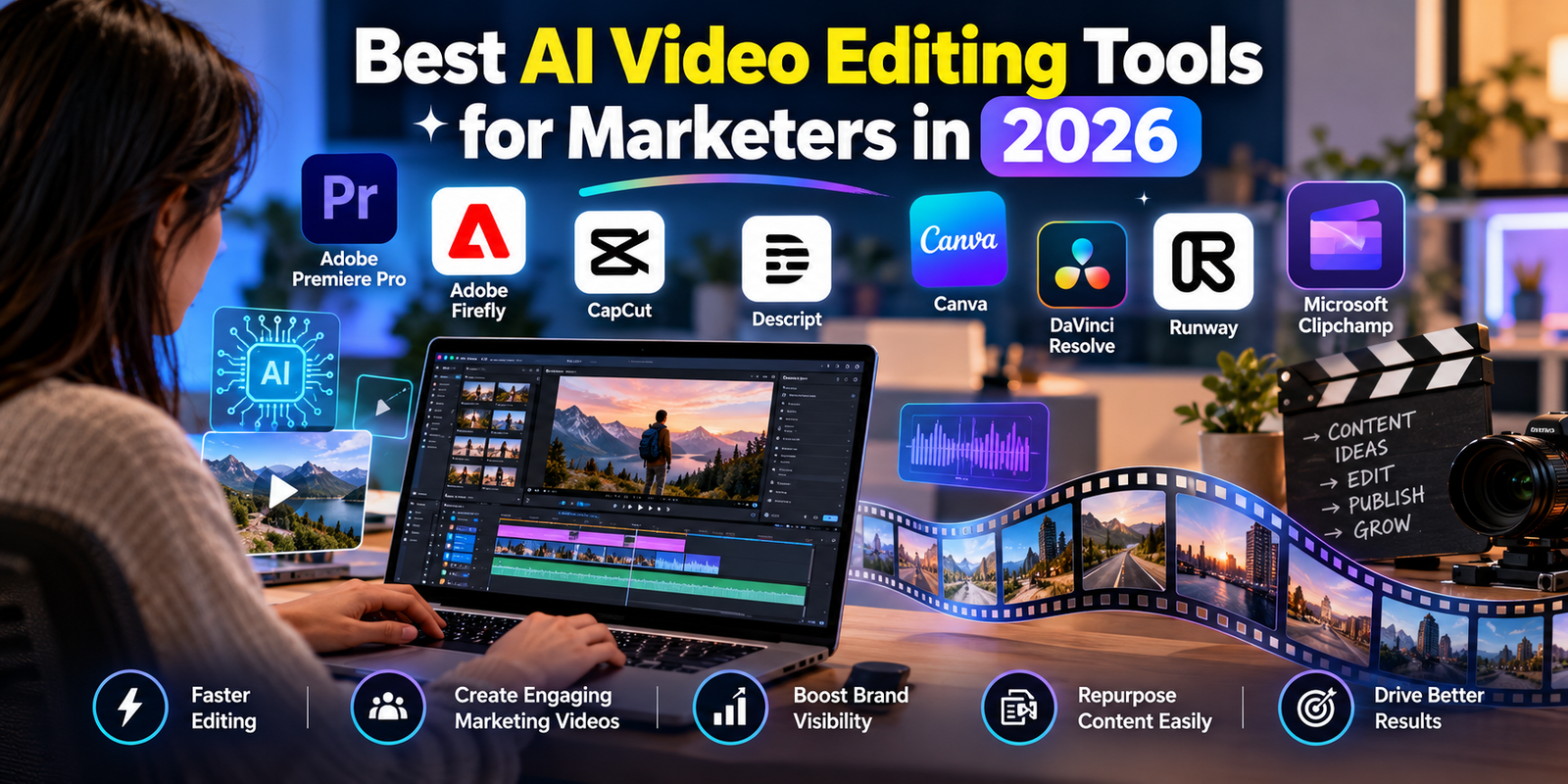
Below are some of the top AI video editing tools for marketers in 2026 and the marketing tasks they are best suited for.
1. Adobe Premiere Pro
Premiere Pro remains one of the strongest choices for professional marketing teams that need detailed editing control combined with AI-assisted workflows.
Adobe has added AI-powered features that can help marketers search footage, create rough cuts, improve dialogue, and speed up editing. Its Media Intelligence search allows users to describe the footage they are looking for using everyday language. Text-Based Editing can also use automatic transcription to help editors build rough cuts by working with the transcript.
Premiere is particularly useful for agencies, larger marketing departments, YouTube teams, and businesses producing professional advertising campaigns.
Best for: Professional marketing videos, advertisements, YouTube content, product videos, and large campaigns.
Key advantages:
- AI-assisted editing workflows
- Text-based editing
- Automatic transcription
- AI-powered audio enhancement
- Advanced color and effects
- Strong Creative Cloud integration
- Professional editing control
2. Adobe Firefly Video Editor
Adobe Firefly is another important option for marketers who want AI generation and editing in the same workflow.
The Firefly AI video editor allows users to upload footage, arrange clips, trim videos, add text and audio, generate scenes, and make edits using natural-language prompts. It supports vertical, square, and horizontal formats, making it useful for marketing teams creating content for different social platforms.
A major advantage is the ability to generate additional scenes directly within the editing workflow. This can help marketers create B-roll, fill gaps in existing footage, or develop visual concepts faster.
Best for: AI-generated marketing videos, social media campaigns, B-roll, product demonstrations, and creative experimentation.
3. Descript
Descript is especially useful for marketers working with podcasts, interviews, webinars, tutorials, and talking-head videos.
Instead of relying primarily on a traditional timeline, Descript allows users to edit video by editing its transcript. Removing a sentence from the transcript can remove the corresponding section of video. This makes the platform particularly efficient for content teams that need to turn long recordings into multiple marketing assets.
Descript also provides AI features for removing filler words, improving audio, generating clips, and repurposing content. TechRadar’s 2026 testing highlighted its transcript-based editing and AI audio-cleanup capabilities.
Best for: Podcasts, interviews, webinars, educational content, and content repurposing.
4. CapCut
CapCut is a strong choice for marketers focused heavily on short-form social media content.
Its straightforward interface makes it easy to produce videos for platforms such as TikTok, Instagram, YouTube Shorts, and other vertical-video channels. Marketers can combine clips, captions, transitions, effects, music, and other visual elements without needing advanced editing knowledge.
CapCut is particularly attractive to small businesses, influencers, social media managers, and marketing teams that need to produce content quickly. TechRadar’s 2026 evaluation also highlighted CapCut as a strong option for mobile-focused social content.
Best for: TikTok videos, Instagram Reels, YouTube Shorts, promotional clips, and mobile-first marketing.
5. Canva Video
Canva is useful for marketers who want video editing combined with their existing design workflow.
Video is designed around a simple drag-and-drop interface. This makes it particularly suitable for marketing teams that already use Canva to create social media graphics, presentations, advertisements, and branded assets.
Marketers can create short promotional videos, social posts, announcements, presentations, and campaign content without learning complicated professional editing software. TechRadar identifies Canva Video as a suitable option for marketers and social media creators who need quick video production.
Best for: Social media teams, small businesses, branded marketing content, presentations, and quick promotional videos.
6. DaVinci Resolve
DaVinci Resolve is a powerful option for marketing teams that require advanced editing and color control.
Although DaVinci Resolve is traditionally associated with professional post-production, its AI and machine-learning features can help automate certain editing tasks. It also offers powerful color grading, visual effects, audio production, and professional editing capabilities.
For marketing agencies producing premium commercials, branded films, cinematic social campaigns, and high-end product videos, DaVinci Resolve can provide significantly more control than basic online editors.
Best for: High-end advertisements, branded films, product campaigns, and professional post-production.
7. Runway
Runway is particularly interesting for marketers who want to combine traditional editing with generative video.
AI generation can help marketing teams experiment with visual concepts without shooting every piece of footage from scratch. This can be valuable during creative development, campaign testing, storyboarding, and social media production.
Runway can be especially useful when a marketing team needs unusual visual concepts, creative backgrounds, or AI-generated footage to complement conventional video.
Best for: Creative campaigns, concept videos, experimental advertisements, and AI-generated visuals.
8. Microsoft Clipchamp
Microsoft Clipchamp is another accessible option for businesses that need straightforward video creation.
Its browser-based approach makes it convenient for teams that want to create marketing videos without installing complex professional software. It can work well for presentations, internal marketing communications, social media content, and basic promotional videos.
For smaller teams, ease of use can be more valuable than having hundreds of advanced editing controls.
Best for: Beginners, small businesses, presentations, social media clips, and basic promotional content.
How Marketers Can Use AI Video Editing Tools
AI video editing is valuable because marketers rarely create only one version of a video. A single campaign might require a long YouTube video, a 60-second advertisement, several short-form clips, vertical versions for social media, captions, and different creative variations.
AI can help accelerate this process.
For example, a marketer can record a 30-minute webinar and use AI-assisted editing to remove unnecessary sections, clean up audio, generate captions, identify useful clips, and create shorter versions. The same source material can then become multiple pieces of content.
This approach can significantly improve content repurposing and help marketing teams get more value from every recording.
What to Consider Before Choosing an AI Video Editor
The best AI video editing tool depends on the marketer’s workflow. Consider these factors before choosing software:
Ease of Use
If your marketing team does not include professional video editors, choose a platform with a simple interface and automated workflows.
AI Features
Look for features that solve actual production problems. Automatic transcription, background removal, audio enhancement, scene generation, caption creation, and content repurposing can all save time.
Social Media Support
Marketers often need multiple aspect ratios. A useful tool should make it easy to create horizontal, square, and vertical videos.
Brand Consistency
Templates, fonts, colors, logos, and reusable assets can help teams maintain a consistent visual identity across campaigns.
Collaboration
Marketing teams frequently involve writers, designers, editors, managers, and clients. Collaboration and review features can reduce unnecessary back-and-forth.
Export Quality
Always check supported resolutions, file formats, watermarks, and platform-specific export options before selecting a tool for professional campaigns.
AI Video Editing vs. Traditional Video Editing
Traditional video editing still has an important role in professional marketing. AI does not automatically replace creative direction, storytelling, brand strategy, or editorial judgment.
Instead, AI works best as a productivity layer.
It can handle repetitive tasks while marketers and editors focus on messaging, storytelling, visual identity, and campaign objectives. Adobe’s current Premiere and Firefly workflows, for example, emphasize AI assistance while retaining manual editing control.
This balance is important because automatically generated content can still require human review for accuracy, brand consistency, pacing, and quality.
Final Thoughts
The best AI video editing tools for marketers in 2026 offer different advantages depending on the type of content being produced. Adobe Premiere Pro is a strong choice for professional production, while Adobe Firefly is valuable for generative AI workflows. Descript works particularly well for transcript-based editing and content repurposing. CapCut and Canva are excellent for fast social media production, while DaVinci Resolve provides advanced professional control.
For marketers, the biggest advantage of AI video editing is speed and scalability. Teams can turn raw footage into polished marketing content faster, repurpose existing recordings, produce multiple versions for different platforms, and spend more time on creative strategy.
Rather than choosing a tool simply because it has the most AI features, marketers should select software that fits their content workflow, team skills, budget, and distribution strategy. The right combination of AI automation and human creativity can make video marketing significantly more efficient in 2026.